


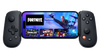

Backbone One - Lightning (2nd gen)
Select your model


Limit 3 per order
Compatibility
 Lightning

 Designed for portability
 30-day risk-free returns
 Free shipping and returns


Backbone One transforms your iPhone device into the ultimate gaming console. Our Second Generation device features a set of adapters that allow for even better phone fit along with a reshaped D-pad which enhances responsiveness, resulting in superior feel and control across multiple genres of gameplay. The Backbone app organizes your content library and game streaming services into an integrated user experience. Uncover a new world of premium gaming in seconds.
Features
Features
How to Use
How to Use
Shipping & Warranty
Shipping & Warranty
Free shipping on Backbone One orders to the US, in addition to:
AU, CA, EU, NZ and UK.
Free 30-day returns.
Shipping policy & Return policy exclusions apply.
Turn your phone into a handheld gaming console

Play almost any game on your phone

Play XBOX, Steam, and PlayStation—or App Store games like Roblox and Minecraft—all through one app.

Play almost any app store game


Compatible with any game with controller support in the App Store, on Apple Arcade, or in Netflix Games.

Turn your phone into a handheld gaming console


Play your XBOX, PlayStation®, or PC library with official remote play support.

Find New Games To Play

Search our library or view your personalized recommendations to find your next favorite game.

Cloud Gaming Compatibility

No console? Stream the newest games from your cloud platform of choice to your phone.

Play on any screen

Play on iPad, PC, Mac, and more.

TouchSync

TouchSync automatically adds controller support to your favorite Android titles


Technically, magic
Choose the right version for Lightning or USB-C. Works with most phones and slim cases out of the box.
Plug-and-play via native port—no pairing, no charging, no lag. Always ready when you are.
Backbone One Controller, Quick Start Guide, and adapters.

Two ways to play


One FAQs
Backbone One (USB-C) works with USB-C iPhones (iPhone 15 and newer, including iPhone Air) running iOS 15 or later, and with most USB-C Android phones running Android 11 or later, including the latest Samsung Galaxy models. Foldable phones haven’t been confirmed yet. Most fit, but check that your phone’s USB-C port lines up with the controller’s connector.
Backbone One (Lightning) works with Lightning iPhones (iPhone 14 and earlier, including mini and SE models) running iOS 17 or later.
See the compatible iPhone models and Android phones.
The Backbone One controller is the perfect match for all your favorite games that are downloadable on the App Store and Google Play Store and support controllers.
This includes popular titles like Call of Duty®: Warzone Mobile, Genshin Impact, Stardew Valley, Roblox, and Minecraft. View our top titles and curated picks.
If you own a console or PC, you can utilize remote play apps offered by XBOX, PlayStation, and Steam to play all the games you already own while on the go. On Android, the official PS Remote Play app supports Backbone One – PlayStation® Edition; other Backbone controllers are not supported.
If you don't own a console, connect to a cloud streaming service like XBOX Cloud Gaming and NVIDIA GeForce NOW to unlock hundreds of games on the go.
Check our games library for a full list of compatible titles.
No! You do not need a PC or XBOX to play thousands of awesome games. You can play any controller-compatible games on the App Store and Google Play Store and access cloud gaming services like XBOX Cloud Gaming and NVIDIA GeForce NOW. A console or PC is only required when remotely playing games installed on a console or computer.
For example, a PlayStation console is required to use PS Remote Play as the game is installed and running on the PlayStation itself and streamed via the internet to your phone. See our XBOX Remote Play, PS Remote Play and Steam Link pages to learn more about remote play. On Android, the official PS Remote Play app supports Backbone One – PlayStation® Edition; other Backbone controllers are not supported.
Check out the Platforms page to learn more about the different ways to play on Backbone.
New adapters on Backbone One (2nd Gen) click into place and support most cases available today, ensuring minimal wait time to lock in and play anywhere.
Very thick or rugged cases may not fit, because a deep case lip around the charging port can stop the controller’s connector from plugging in fully.
Check out all the cases we've tested and know fit here. For a guide on swapping your adapters, check out our help center article.
In your Backbone’s box, you'll find your controller with adapters pre-installed. You can remove or swap them anytime.
No. You don’t need Backbone+ or the Backbone app to play: attach your phone and open any controller-compatible game. We recommend the free Backbone app so your controller receives firmware updates. Backbone+ is an optional membership that adds extra features in the app.
Yes, with a cable. Plug a USB cable into the controller’s pass-through charging port and connect it to an iPad, tablet, Mac, PC, or Chromebook. We call this Play On Any Screen. Play On Any Screen doesn’t work with TVs. Backbone One doesn’t have Bluetooth, so it can’t connect wirelessly; for wireless play, see Backbone Pro.
Standard comes in black and with ABXY buttons.
The XBOX and PlayStation versions come with matching symbols and special colors.
All of them work with XBOX, PlayStation, and Steam.
Note that on Android, only the PlayStation Edition is officially supported for use with PS Remote Play.
Choose Backbone One for the most compact, pocketable controller, with a low-latency wired connection, pass-through charging, and plug-and-play setup. It comes in Standard, PlayStation® Edition, and XBOX Edition.
Choose Backbone Pro for full-size ALPS joysticks, Hall effect triggers, two customizable back buttons, and wireless Bluetooth play on tablets, PCs, and TVs.
Both work with thousands of controller-compatible games, cloud gaming services, and remote play.
Yes, all Backbone controllers come with a 1-year limited warranty, which covers joystick drift.
