


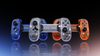
Backbone Pro XBOX 25th Anniversary Edition
Blind box. Each sealed controller has an equal 1/3 chance of containing Crystal Clear, Iconic Blue, or Bold Orange. Colorway cannot be selected before purchase or exchanged for a preferred color.
FINAL SALE — This item is not eligible for voluntary returns or exchanges, except where required by applicable law. Your statutory consumer rights are not affected.
Limit 1 per order
Compatibility


For Android phones and iPhone (18/17/16/15 series)
 Seamless Bluetooth® connectivity
 Designed for comfort
 Engineered for precision
 Up to 40 hours of battery life
 Free shipping


To celebrate 25 years of XBOX, we are introducing Backbone Pro XBOX 25th Anniversary Edition: a limited Backbone Pro release inspired by the moments, memories, and milestones that shaped a generation of play. This special edition will ship in three heritage colorways. Each brings a different piece of XBOX history into a controller built to look like the past and play like the future.
Crystal Clear, Iconic Blue, and Bold Orange each nod to the early years of XBOX, when controllers and consoles felt like objects worth collecting, showing off, and remembering. Each controller comes in a blind box, so you won’t know which colorway you’ve received until you open it.*
Designed for XBOX, the Backbone Pro XBOX 25th Anniversary Edition is an XBOX you can take anywhere. Play your favorite games on your phone, PC, tablet, laptop, smart TV and more, and switch between them instantly. No pairing menus. Just tap and play. Seamlessly integrated with the Backbone app, your gaming library, cloud gaming, and remote play services come together in one unified experience.
Built with full-size ALPS thumbsticks, hall-effect triggers, laser-etched grips, rear buttons, and industry leading ergonomics, Pro delivers precision and comfort for long sessions. Connect wirelessly via Bluetooth with up to 40 hours of battery life² or plug in with USB-C.
1 free month of XBOX Game Pass Ultimate included. Code redeemed via Backbone app.
*XBOX Game Pass offer expires 1/31/2029. New Game Pass Ultimate members only; subscription continues automatically unless canceled. See xbox.com/subscriptionterms for details.
*Blind box odds: Each sealed Backbone Pro XBOX 25th Anniversary Edition has an equal 1/3 chance of containing Crystal Clear, Iconic Blue, or Bold Orange. Colorway cannot be selected before purchase. Available while supplies last.
Features
Features
How to Use
How to Use
Shipping & Warranty
Shipping & Warranty
Standard shipping eligibility applies. Shipping policy and Return policy terms and exclusions apply. This item is final sale as disclosed above, except where required by applicable law. Your statutory consumer rights are not affected.
Turn your phone into a handheld gaming console

Play almost any game on your phone

Play XBOX, Steam, and PlayStation—or App Store games like Roblox and Minecraft—all through one app.

Play almost any app store game


Compatible with any game with controller support in the App Store, on Apple Arcade, or in Netflix Games.

Turn your phone into a handheld gaming console


Play your XBOX, PlayStation®, or PC library with official remote play support.

Find New Games To Play

Search our library or view your personalized recommendations to find your next favorite game.

Cloud Gaming Compatibility

No console? Stream the newest games from your cloud platform of choice to your phone.

Play on any screen

Play on iPad, PC, Mac, and more.

TouchSync

TouchSync automatically adds controller support to your favorite Android titles


Technically, magic
Bluetooth pairing with the press of a button. Instantaneous handshake if you have Backbone app.
Full-sized ALPS joysticks and pro-style rear buttons deliver console-grade accuracy and feedback.
Sculpted, ergonomic shape with anti-fatigue grips built for long sessions—at home or on the go.
Supports Android and iPhone (18/17/16/15 series) with or without a case. Includes magnetic adapters for the perfect fit.
Includes 3.5mm headset jack for wired audio and supports Bluetooth audio through your connected phone.


Play handheld or wireless on any screen


Pro FAQs
The Backbone Pro is compatible with the most popular USB-C mobile devices from Apple, Samsung, Google, Xiaomi, Oppo, Vivo, Huawei, Realme, and Motorola, including the all-new iPhone 18 series. The device's operating system must be iOS 17.3 or later for iPhone users and Android 10.0 or later for Android users.
Lightning-type connectors (iPhone 14 and earlier) are not compatible over USB-C. However, you can connect a Lightning iPhone to Backbone Pro wirelessly over Bluetooth. Many features within the Backbone app (button mapping, controller profiles, etc.) are not available over Bluetooth.
Not at all! Backbone+ membership enhances your free Backbone app, and you don't need either to game with your Backbone controller! Let's break it down:
Backbone App - a free app with features like controller firmware updates, joystick calibration, and button remapping. We recommend you download this free app in order to keep your Backbone controller firmware updated.
Backbone+ Membership - a premium subscription inside the Backbone app to manage all your games in one place, 20+ features unlocked, exclusive perks, personalized game recommendations, streaming directly to Twitch, and more. A Backbone+ subscription is NOT required to play games with your Backbone controller. If you are eligible for a free trial, it begins when you activate a Backbone+ trial subscription. You can choose to redeem your trial during setup or later. This can be canceled at any time.
See the difference between using the Backbone App with and without Backbone+ here.
To use your Backbone controller without using the Backbone App, just attach the controller to your device and open any controller-compatible games you have downloaded to your device.
Pricing and availability may vary by region. Backbone terms apply.
Backbone Pro fits most phone cases. To make room for some cases, you may need to remove the adapters on your controller. Very thick or rugged cases may not fit, because a deep case lip around the charging port can stop the controller’s USB-C connector from plugging in fully. For the full list of phone cases that work with Backbone Pro, check out this article.
Yes. Backbone Pro connects wirelessly over Bluetooth to tablets, PCs, Macs, and other devices that support Bluetooth Low Energy controllers, including TVs with Bluetooth controller support. We call this FlowState.
You can also connect Backbone Pro with a USB-C cable to the controller’s charging port. This is Play On Any Screen, and it works with devices such as an iPad, tablet, Mac, PC, or Chromebook, but not with TVs. The controller charges while you play.
The Backbone Pro was designed to amplify the portable gaming experience, allowing players to reach their full potential from anywhere, without boundaries. While both the Backbone One and Backbone Pro are compatible with thousands of titles across supported platforms, there are a few key differences.
- High-precision play with full-size joysticks
- Enhanced ergonomic grips for greater comfort
- 2 custom-function back buttons
- Button remapping, joystick and trigger sensitivity adjustment
- Ultra-quiet ABXY buttons
- Wireless compatibility for seamless play on any screen
Backbone Pro uses full-size ALPS joysticks and Hall effect triggers. Like every Backbone controller, it comes with a 1-year limited warranty, which covers joystick drift.
Backbone offers high-quality gameplay for all your favorite games that support controllers. This includes the most popular titles like Call of Duty®: Mobile, Minecraft, and most Apple Arcade and Google Play Pass games.
Mobile Games
Want to dominate mobile games with your Backbone controller? Here's how:
- Grab a compatible game: Make sure the game you want is installed on your device. Check out our complete controller-compatible games list here.
- Launch it: Fire up the game directly from your home screen, not the Backbone app if you are not a subscriber.
- Get through the tutorial: You may have to knock out any tutorials before diving in.
- Adjust settings if needed: Some games might require you to switch from touchscreen to controller controls in the game's settings menu. Most of the time, the controller will sync up automatically.
- Shortcut to play: Hit the Backbone button to add the title to the Backbone app's home screen for instant access next time.
Console Games
Want to bring your console experience like PlayStation, XBOX, or Steam directly to your phone? Here's how:
- Download the Remote Play app: Get the right app for your PlayStation or XBOX on your mobile device. Make sure your games are ready to go on the console.
- Set it up: Follow the setup steps for the PlayStation or XBOX Remote Play and ensure your internet PlayStation or XBOX connection is good enough for smooth gameplay.
- Launch and play: Open the Remote Play app directly from your phone.
- Instant access: Press the Backbone button to drop the Remote Play tile on your Backbone app home screen, making it easy to jump back in.
- For Steam: Check out this article for how to set up Steam with your Backbone controller.
Cloud Gaming
Stream your favorite games from the cloud—no downloads needed! Here's how:
XBOX Cloud Gaming:
- Follow this guide to set up and start streaming.
NVIDIA GeForce NOW:
- Set up your account using these instructions in the article.
- Link your Steam library and bring your supported PC games to the cloud.

