
Play almost any game from your iPhone or Android device with Backbone One - Up to 40% off Black Friday.


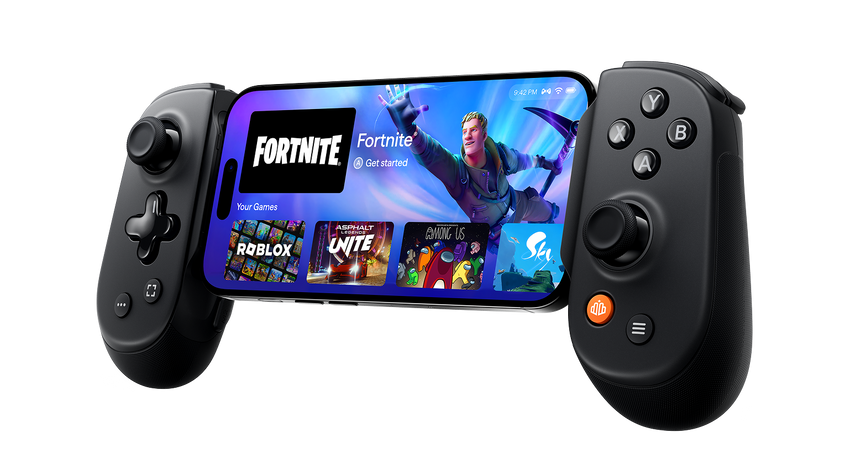
Play Xbox, PlayStation or PC games from anywhere


No console required
Play amazing games on the phone you have through Xbox Game Pass Ultimate or GeForce Now. No console or PC required.

Cyberpunk 2077 gameplay captured on NVIDIA GeForce NOW using the Backbone One Controller


Play almost any game in the App & Play Store
Pick from thousands of titles in the App & Play Store. With wildly popular games like Call of Duty: Mobile, Roblox, and Grand Theft Auto: San Andreas, there’s plenty to play with Backbone.


Experience over 200 award-winning games, with no ads and no in-app purchases. New games are added regularly, so there are always new worlds, adventures, and stories to explore from your iPhone.


Your pass to hundreds of awesome games and apps, completely free of ads and in-app purchases. Get started with a trial, then just one low monthly price. Yearly subscription also available.


Play Retro Games on Backbone
Play PSP, PS1, Nintendo DS, and Game Boy classics on your phone with Backbone—works with leading emulator apps like Delta and Retroarch, no setup required.

Stay In Control
Snap-In
Pull the controller apart and slide
in your phone
Launch
Access all your favorite games in one place with the Backbone app.
Play
Start playing your favorite mobile, console, or PC games from anywhere, in seconds.
Choose your player


Backbone One
Take your games with you wherever you go.

Playstation® Edition
Inspired by the PS5 DualSense™ wireless controller.

Xbox Edition
Move between screens, games, and platforms like magic.

Top Games on Backbone


Join Thousands of Other Gamers


Don’t Just Take Our Word For It


Backbone App
The feature-rich Backbone app is your unified home for mobile gaming. It serves as a hub for all your games, recommends new games, connect with friends, screen record, stream on twitch, and more.

Play On Any Screen
Use the Backbone as a standalone controller when you plug it directly to a iPad, PC or Mac

Play On Any Screen
Use the Backbone as a standalone controller when you plug it directly to a iPad, PC or Mac
Why Backbone
FAQs
Yes, most cases work. The all-new 2nd generation Backbone One and Backbone Pro come with magnetic adapters that make them compatible with most phone cases today.
Check out all the cases we've tested and know fit here. For a guide on swapping your adapters, check out our help center article.
Nope! A console or computer is only required to take advantage of remote play apps offered by Xbox, PlayStation, and Steam.
Backbone One unlocks a world of possibilities for all types of gameplay experiences. Between the App Store, Xbox Game Pass Ultimate cloud streaming, and Nvidia GeForce Now there are thousands of high quality games available to play.
Check out the Platforms page to learn more.
Yes, you can use the Play On Any Screen feature from within the Backbone app to use your Backbone One with any supported iPad, Mac, or PC. No need to carry around another controller!
The Backbone app is not required for use of the Backbone One as a controller. However, the Backbone app offers a rich, community-driven experience that we’re sure you’ll love!
More information on the Backbone app’s features can be found here.
Yes, you can use your device’s Bluetooth capability while it’s snapped into Backbone One. In fact, playing on Backbone One while using bluetooth headphones makes for a highly enjoyable and portable gaming experience.
The Backbone One itself must be connected via USB connector or port to be used as a controller.
Nope, just snap in your phone and start playing!


